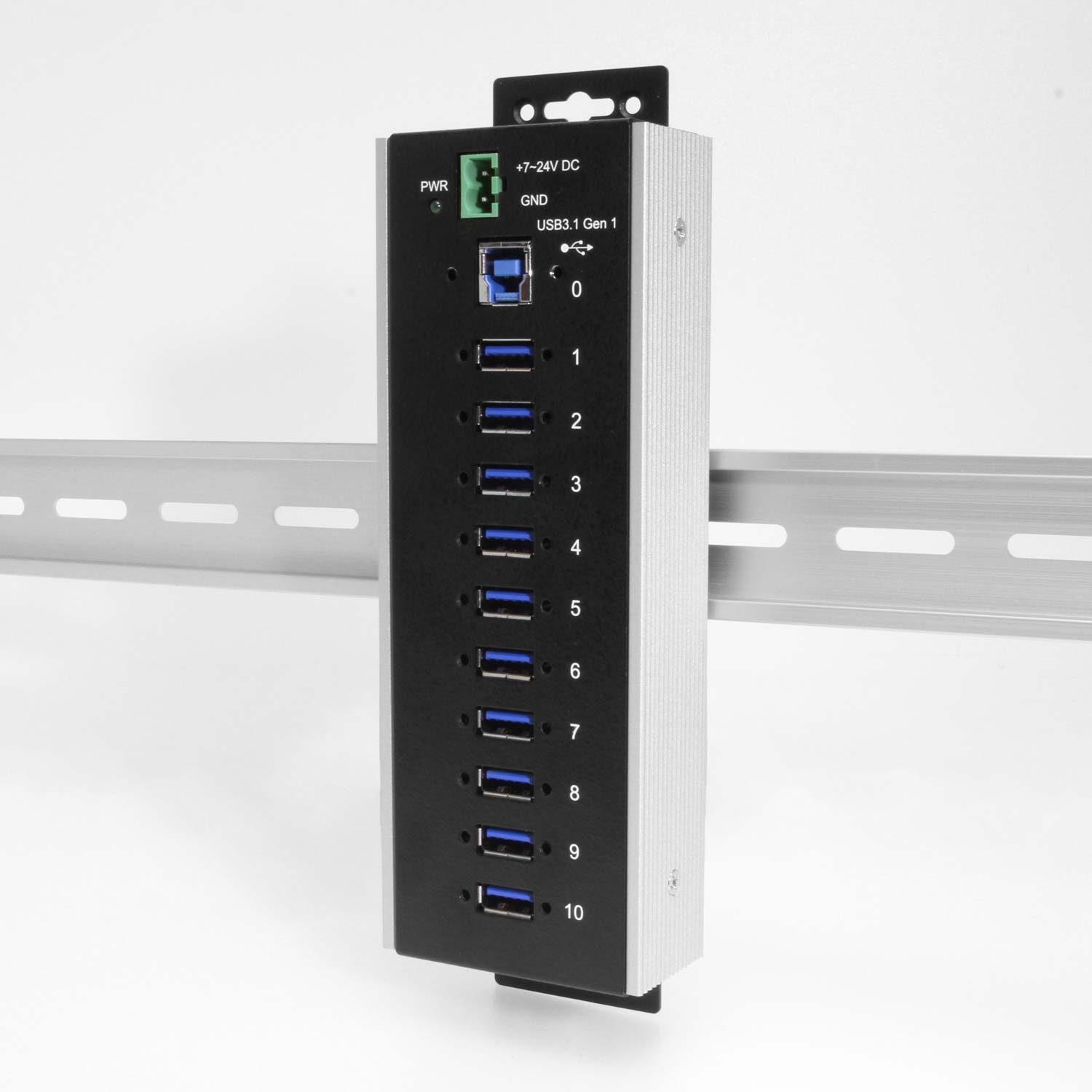
10 Port USB 3.2 Gen 1 Industrial Wide Temperature Range Hub

Model No. CG-G110PHHT

Industrial Grade | +7~24V DC Input | Surface Mountable | DIN Rail | 5 Gbps | Screw Lock | -40-85ºC Wide Temp Range

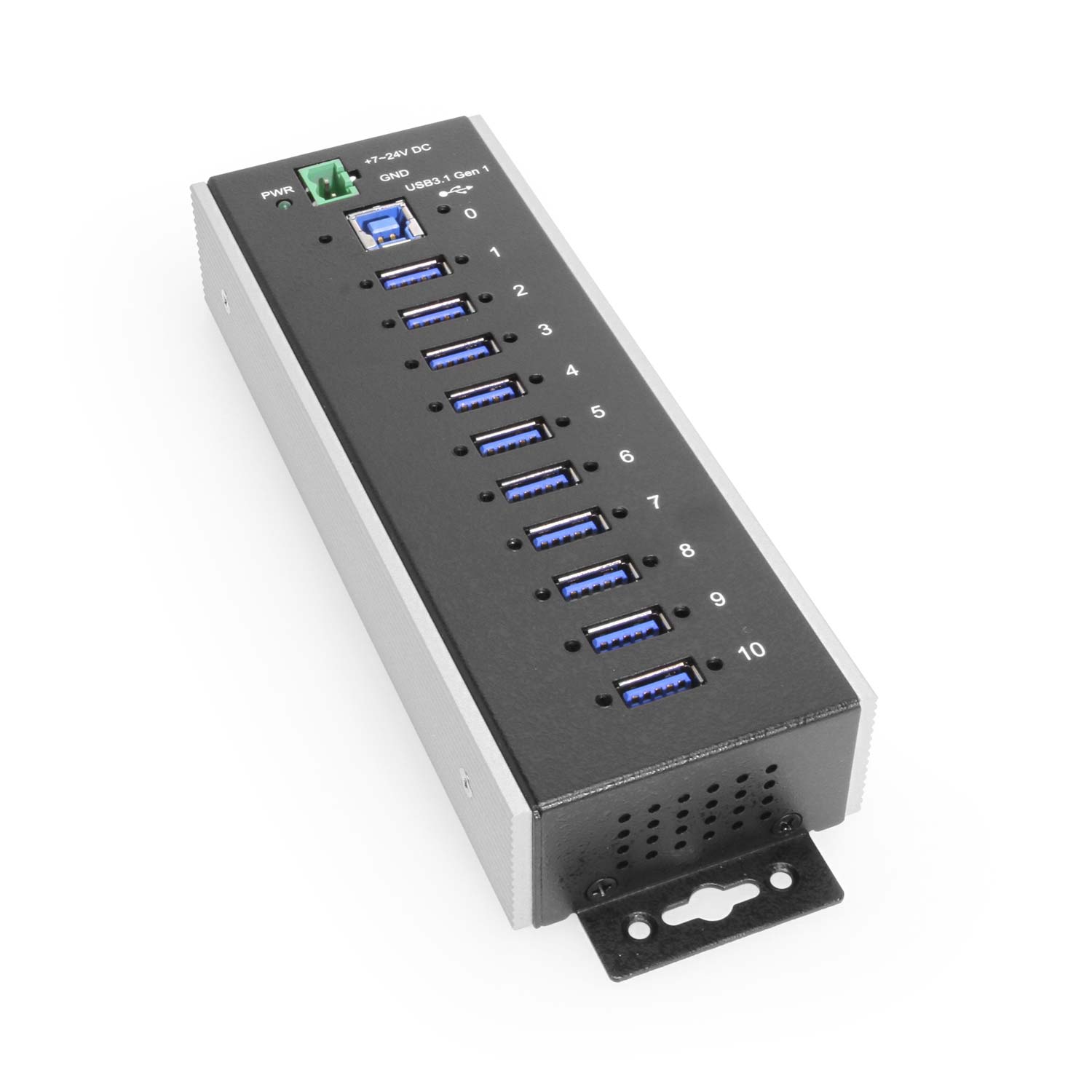
  • Super Speeds: This USB hub is 3.2 Gen 1 compliant, ensuring fast 5bps data transfer speeds. It supports super speed, high speed and full speed which enables it to be compatible with USB 2.0 and 1.1.
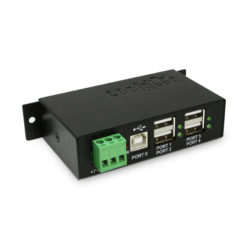
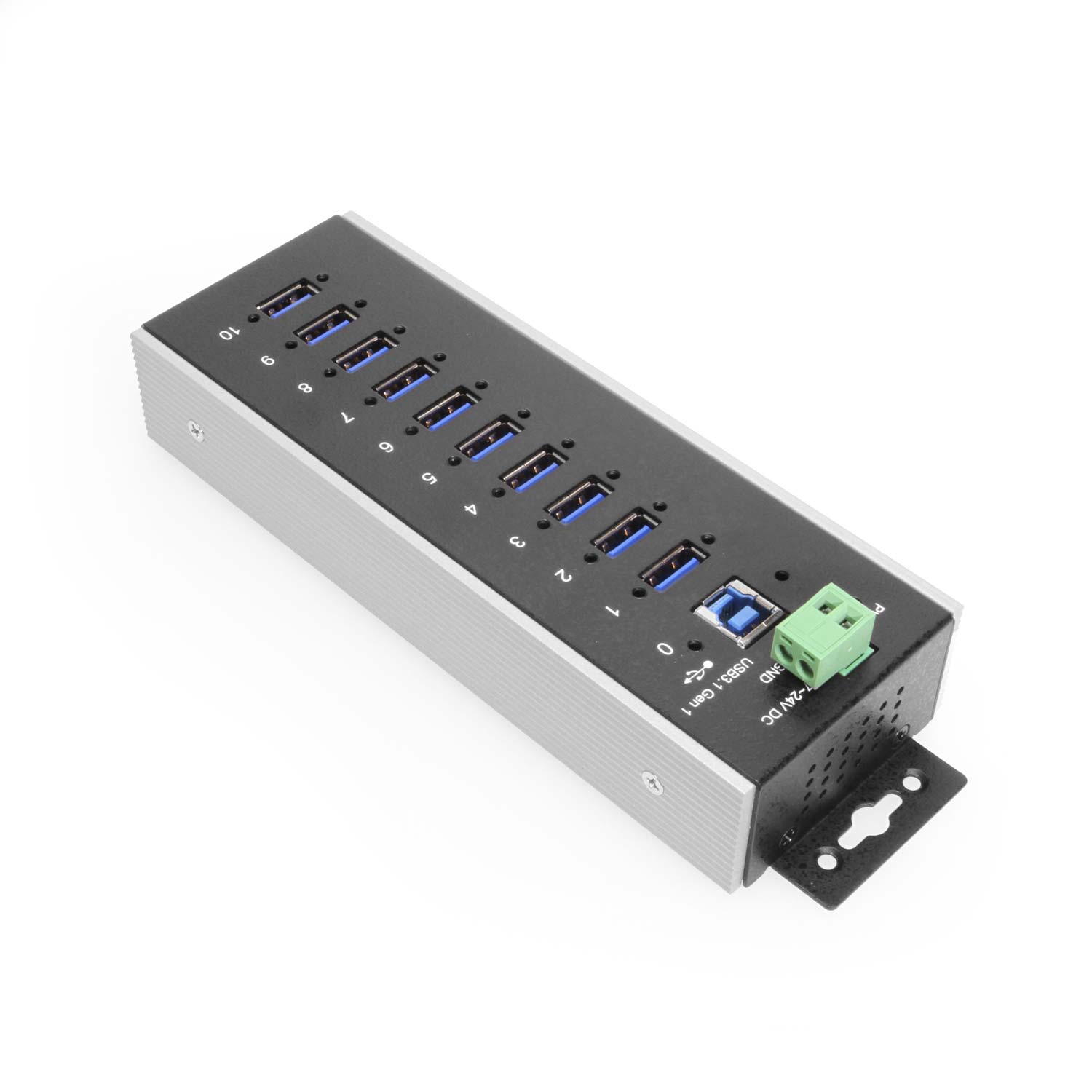
  • Superior Build Quality: Housed in a rugged steel chassis with built in mountable flanges, the 10-port hub is perfect for installations in offices, labs, warehouses, heavy machinery, automation equipment, and other industrial applications.
  • Temperature Resilience: Withstands an operating temperature range from -40 to 85 degrees Celsius, providing robust performance even in diverse environmental conditions.
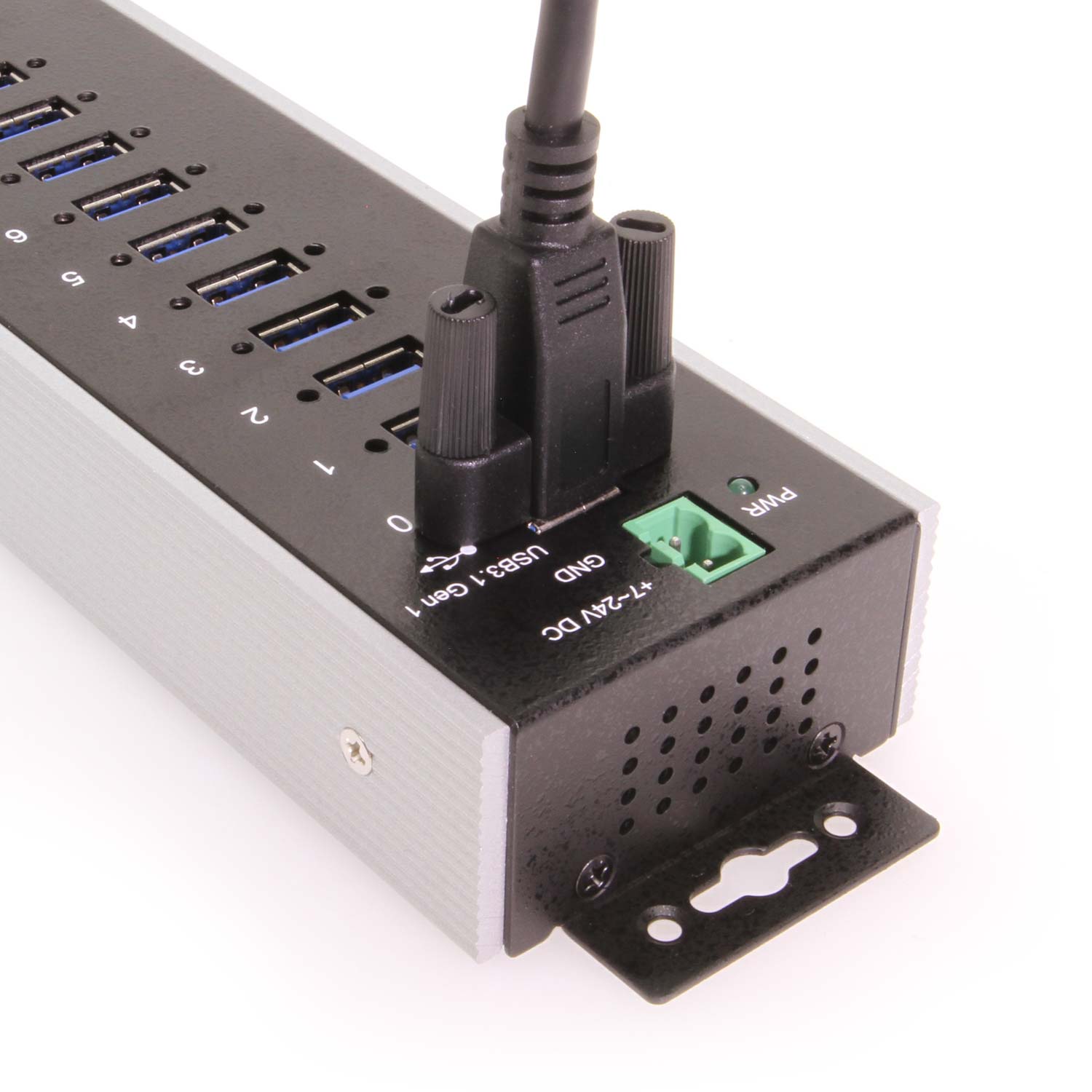
  • Secure Connections: Each port features a screw locking for safe and secure USB connections.
  • Upstream: 1 USB port, Type B connector, Screw-lock type
  • Downstream: 10 USB ports, Type A connectors, Screw-lock type
  • Power Connector: 2-Pin Terminal Block
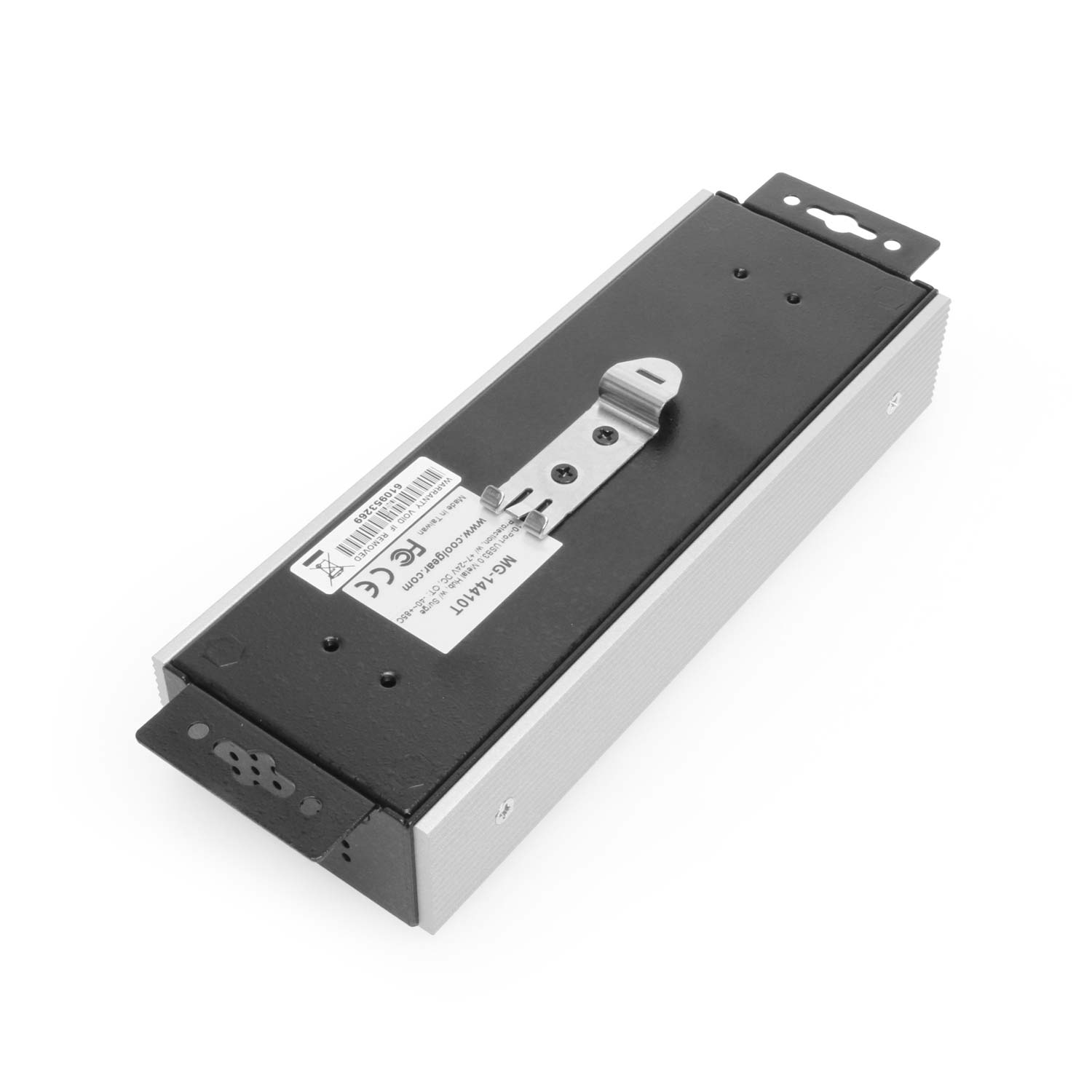
  • Mounting Options: Wall, Surface, & DIN Rail

$404.99

Model No. CG-G110PHHT

In stock

RoHS TAA Compliant

Also available from:


Export Product as PDF

Need some help? Contact us.
Description

Introduction:

Elevate your connectivity experience with the Coolgear 10 Port USB 3.2 Gen 1 Industrial Wide Temperature Range Hub, a cutting-edge solution designed to thrive in extreme environments. Engineered to withstand temperatures ranging from -40 to 85 degrees Celsius, this industrial-grade USB hub ensures uninterrupted connectivity in the harshest conditions. Whether you’re in Arctic exploration, metal casting operations, or any industry facing extreme temperature challenges, our hub delivers reliable and resilient performance, making it an indispensable tool for mission-critical applications.

Features:

  • Temperature Resilience: Withstands an operating temperature range from -40 to 85 degrees Celsius, providing robust performance even in diverse environmental conditions.
  • Industrial-Grade Durability: Constructed with a rugged steel shell, ensuring durability and longevity in challenging settings such as manufacturing plants, military applications, and more.
  • 10 Port Connectivity: Offers seven USB 3.2 Gen 1 ports, providing ample connectivity for a variety of devices, instruments, and peripherals simultaneously.
  • Plug-and-Play Convenience: Simple and hassle-free installation, allowing for quick integration into your existing setup without the need for complex configurations.
  • Reliable Data Transfer: Maintains consistent and reliable data transfer even in extreme temperature fluctuations, ensuring seamless communication between connected devices.
  • Versatile Industry Applications: Ideal for use in oil and gas operations, military applications, mining, aerospace, and other industries where extreme temperature resistance is paramount.
  • Compact and Space-Efficient Design: Streamlined form factor makes it suitable for space-restricted environments while maintaining high-performance standards.
  • LED Power Indicator: An Intuitive LED indicator provides a visual cue for power status, enhancing user convenience and troubleshooting capabilities.


Package Contents:

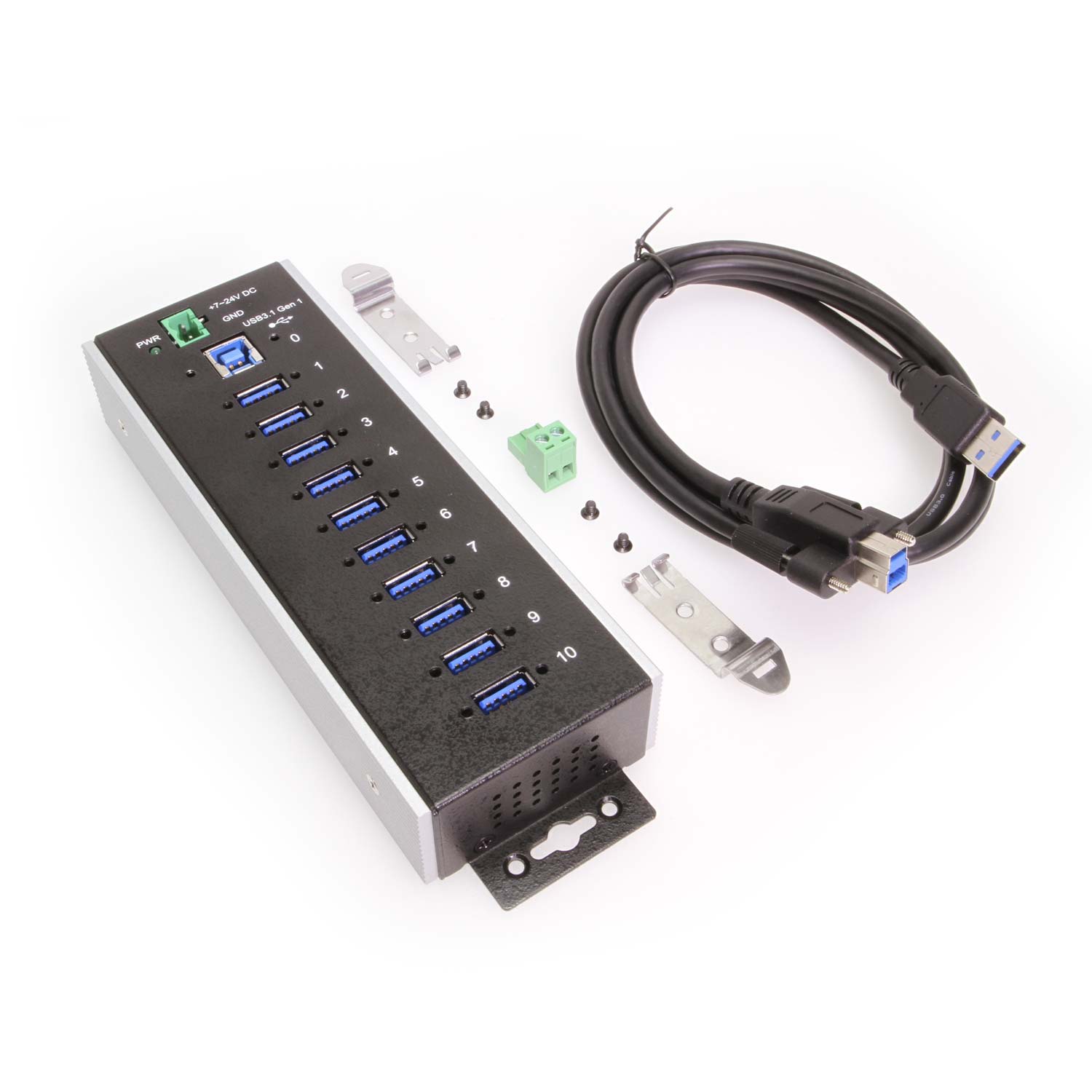
  • 10-Port USB 3.2 Gen 1 Industrial Hub
  • USB Screw lock A to B Cable
  • 2-Pin Terminal Block
  • DIN Rail Clip
  • Screw Pack
  • User Manual

*Surface Mounting screws not included.

Specifications

Product Specifications

Power
Input Voltage

+7~24V DC

Power Source

2-Pin Terminal Block

External Power Required

No

Compliance
Certifications

,

Physical Characteristics
Color

Black, Silver

Item Dimensions (L × W × H)

7.75 × 2.5 × 1.25 in.

Item Weight

0.96 lbs.

Mounting Style

Din-Rail Mount, Surface Mount, Wall Mount

Ports

10 USB Ports

Material of Construction

Metal

Screw Lock Compatible

Yes

What's in the Box
Package Contents

3-Pin Terminal Block, DIN Rail Clip(s), Hub, Screw Pack, USB-A to Screw Lock USB-B Cable

Environmental
Operating Temperature

-40°C to 85°C (-40°F to 185°F)

Storage Temperature

-40°C to 85°C (-40°F to 185°F)

Humidity

5% ~ 95% (non-condensing)

Product Information
Warranty

1 year from date of purchase

Hardware
LED Indicators

Power

Downstream USB Ports

10 Type-A Female USB

Upstream USB Ports

1 Type-B Female USB

Performance & Safety
ESD Protection

15KV Surge Protection

Max Data Transfer Rate

5Gbps

Other Data
UPC

045079164239

USB Interface

USB 3.2 Gen 1

Weight

1.24 lbs

Dimensions

9.75 × 6.75 × 2.25 in

UPC: 045079164239
Wide Temp. Hub F.A.Q.

Product F.A.Q.

View frequently asked product questions below. Still need help? Reach out!

  • Can the hub be used without a power supply?

    In some cases, yes. USB peripherals that only require low power (i.e. keyboards & mice) can be used without a power adapter. Power in this case is drawn from the host’s USB port.

    When high-power USB peripherals are used, a power supply for the USB hub may be required. In other cases, the USB peripheral may require their own power adapters, in this case, a power supply for the hub may not be required. Without ample power though, the USB hub or connected peripherals may not operate correctly. It is recommended to use an included power supply when possible.

  • After waking up from sleep mode, my computer/host no longer recognizes my USB device.
    If the USB device does not function properly after your computer or host has been in sleep mode, it is likely that Windows turned off the USB Root hub in order to save power.

    To prevent this, follow the steps below (depending on your operating system).

    Windows 10 / 8

    1. On your keyboard, press the Windows key + X and select Control Panel.
    2. Click Hardware and Sound, then click Power Options.
    3. Click Change plan settings for the plan you want to change.
    4. Click Change advanced power settings.
    5. Click the plus sign (+) next to “USB settings” and “USB selective suspend setting” to expand the options and change the setting to Disabled.
    6. Click OK to apply the setting.

    Note: You may need to disconnect and re-connect your USB device after applying these settings.

    Windows 7 / Vista

    1. Click the Start button and select Control Panel.
    2. Click Hardware and Sound, then click Power Options.
    3. Click Change plan settings for the plan you want to change.
    4. Click Change advanced power settings.
    5. Click the plus sign (+) next to “USB settings” and “USB selective suspend setting” to expand the options and change the setting to Disabled.
    6. Click OK to apply the setting.

    Note: You may need to disconnect and re-connect your USB device after applying these settings.

    Windows XP

    1. On your desktop, right-click the My Computer icon and select Properties.
    2. Click the Device Manager tab.
    3. Expand Universal Serial Bus controllers by clicking the arrow to the left of it.
    4. Right-click the first USB Root Hub device and select Properties.
    5. Click the Power Management tab.
    6. Clear the box next to Allow the computer to turn off this device to save power.
    7. Click OK to apply the setting.
    8. Repeat steps 4-7 for any remaining devices in the Universal Serial Bus Controllers section with “Root Hub” in the name.

    Note: You may need to disconnect and re-connect your USB device after applying these settings.

  • The hub is properly hooked up, but is not functioning correctly. What can I do?
    Testing all setup components is the best place to begin troubleshooting. To determine the source of the issue, individually test your:

    • USB Cable by using it in another setup, or trying another cable.
    • Host USB Port by connecting another device or thumb drive.
    • Connected Peripherals by connecting directly to the host.

    Moving on to troubleshooting the hub itself. Attach a USB peripheral. The USB hub itself will not appear in hardware listings on your host’s system. USB devices connected however, will appear when connected. If the connected device is still not being found, try:

    • Installing the required drivers for the USB peripheral.
    • Install the most recent drivers for the USB controller and/or motherboard chipset.

    USB hubs do not require drivers or software.

    Troubleshooting the desired USB peripheral may be in order. If the peripheral is still not being recognized, attempt:

    • Attaching external power to the peripheral, if required.
    • Confirming if the peripheral functions on a standard USB port.
    • Testing if basic USB peripherals work, such as keyboards or mice.
  • How can external power be connected to the industrial USB hub?

    External power is supplied by connecting to the terminal block located on the hub. For when an external power adapter is required check out the Accessories & Replacement Parts section on this product page. To view all of our hub accessories and power supplies, visit the category here.

    To determine the power requirements, the equation to use is P = 5 * I * N, where:

    P is the power wattage.

    is the USB port voltage.

    I is the current of the USB port in Amps (USB 2.0 is 0.5A, USB 3.0 is 0.9A.

    N is the number of USB ports.


    As an example using the equation, a 4 port hub would reflect a minimum wattage of 18 watts.

    Knowing the minimum requirement, a proper power adapter can be chosen. In this case the voltage of a power supply should be within 7 to 24 or 7 to 40 Volts DC, depending on the specifications of the USB hub. Also, the power supply must convert AC to DC (no AC output).

    Power supplies often come with a voltage (V) rating and an amperage (A) rating. To determine the current in amps, use I = P / V, where the following is true:

    I is the current of the power supply.

    P is the calculated power of the hub.

    V is the chosen voltage of the power supply

    Continuing the example, the 4 port hub requires 18 W and the power supply you choose is 12V, the current of the power supply would be I = 18/12, I = 1.5A.


    Our full collection of power adapters can be found here.

  • How does extreme temperature affect USB 3.2 data speeds?

    Extreme heat can cause thermal throttling in consumer electronics. Our hubs are engineered with high-tolerance chipsets to maintain consistent 5Gbps or 10Gbps throughput even at the top of the temperature range.

  • Can these hubs handle Cold Starts at -40 degrees C?

    Yes. All components are rated for immediate power-up at the lowest rated temperature without needing a pre-warming period.

  • Do these hubs require active cooling (fans) in high-heat environments?

    No. Coolgear Wide Temp hubs use rugged metal chassis and an additional aluminum heat sink is mounted to the side of the hub, allowing for fan-less operation which increases reliability in dusty or vibrating industrial settings.

  • Why do wide temperature USB hubs have a higher bill of materials?

    Wide temperature USB hubs are built using automotive- and industrial-grade components rated for extreme operating environments. These parts are more costly to source and require additional design validation and testing to ensure long-term reliability.

  • What is the difference between Commercial, Industrial, and Wide Temperature USB hubs?

    Commercial hubs usually operate between 0°C to 40°C. Industrial hubs often go to 55°C. Our Wide Temperature hubs are rated for -40°C to 85°C, using specialized components that won’t crack in extreme cold or leak in extreme heat.

Reviews (0)

Reviews

There are no reviews yet.
Be the first to review “10 Port USB 3.2 Gen 1 Industrial Wide Temperature Range Hub”