


Features:
USB Type-C PD Chargers
USB Type-A Chargers
Multi-Port USB Chargers
Integration-Ready Charging PCBAs

USB 3.2 Gen 1 performance: Supports data transfer speeds up to 5 Gbps and is backward compatible with USB 2.0 and USB 1.1 devices.
Industrial-grade construction: Rugged steel enclosure with integrated mounting flanges, designed for long-term use in industrial and professional environments.
Wide temperature operation: Rated for continuous operation from –40°C to +85°C, making this hub suitable for extreme temperature deployments.
Secure USB connections: Screw-locking USB ports help prevent accidental disconnections in vibration-prone or mobile installations.
ESD protection: Provides 15kV ESD surge protection on each downstream USB port to protect connected devices.
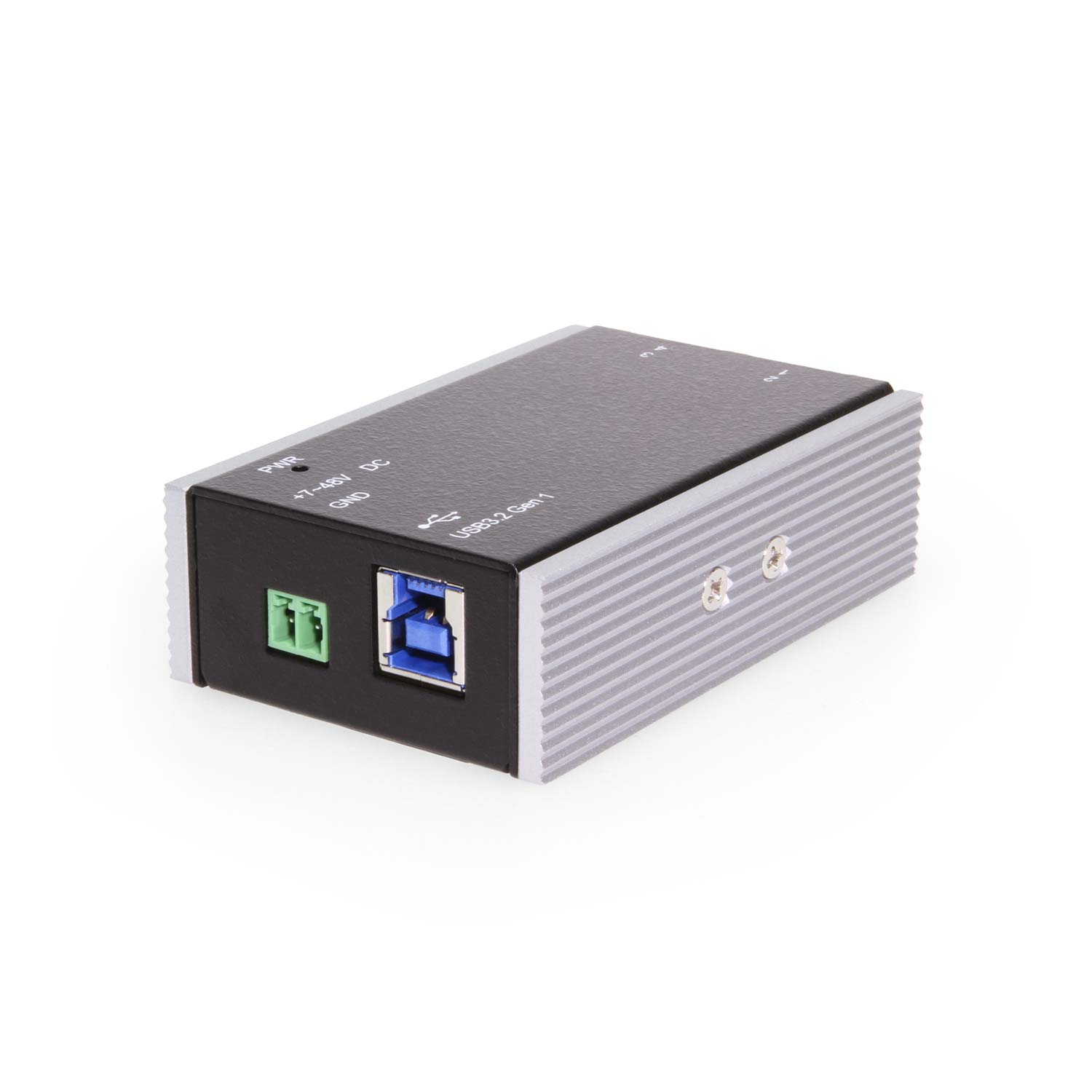
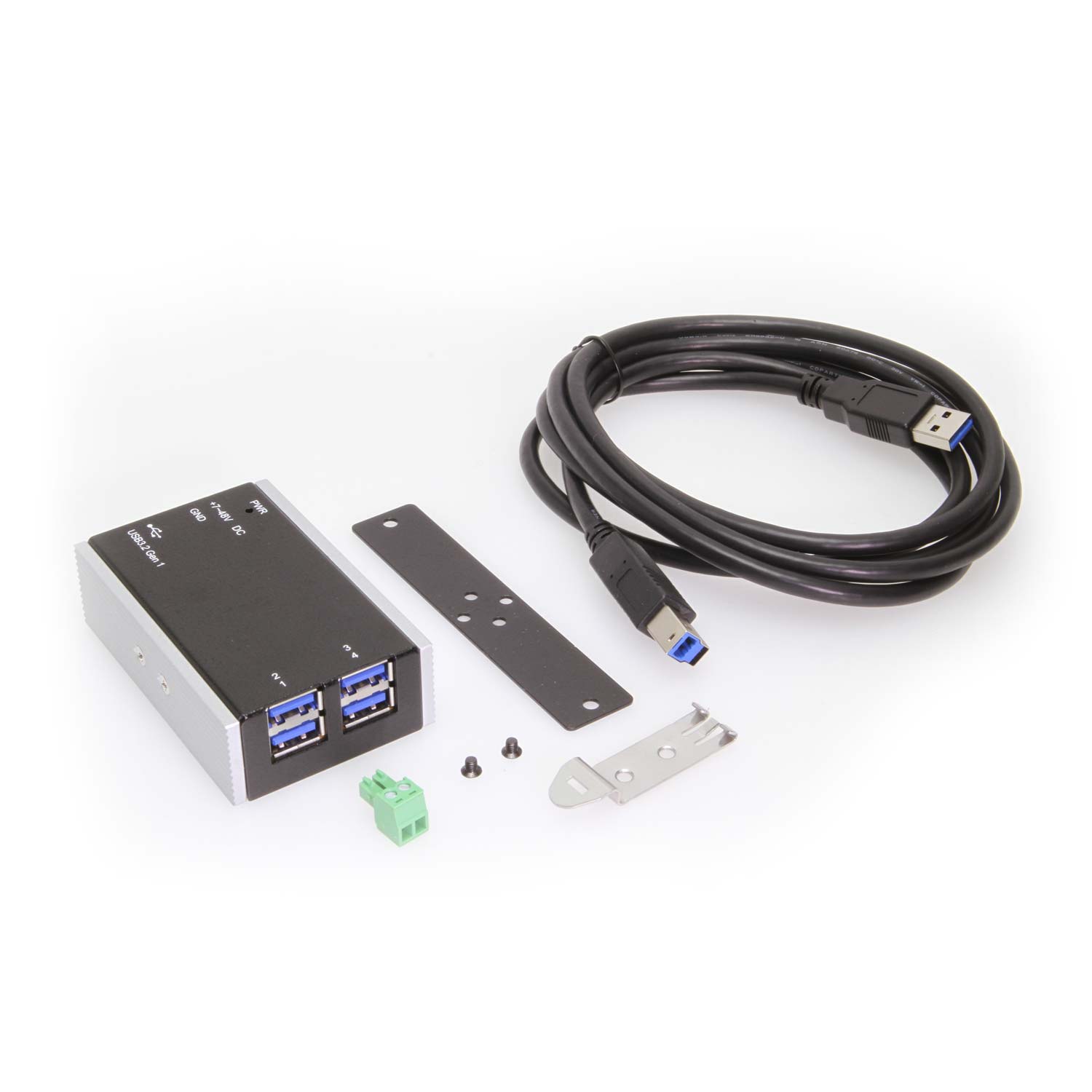
Upstream connection: 1 × USB Type-B upstream port for host system connectivity.
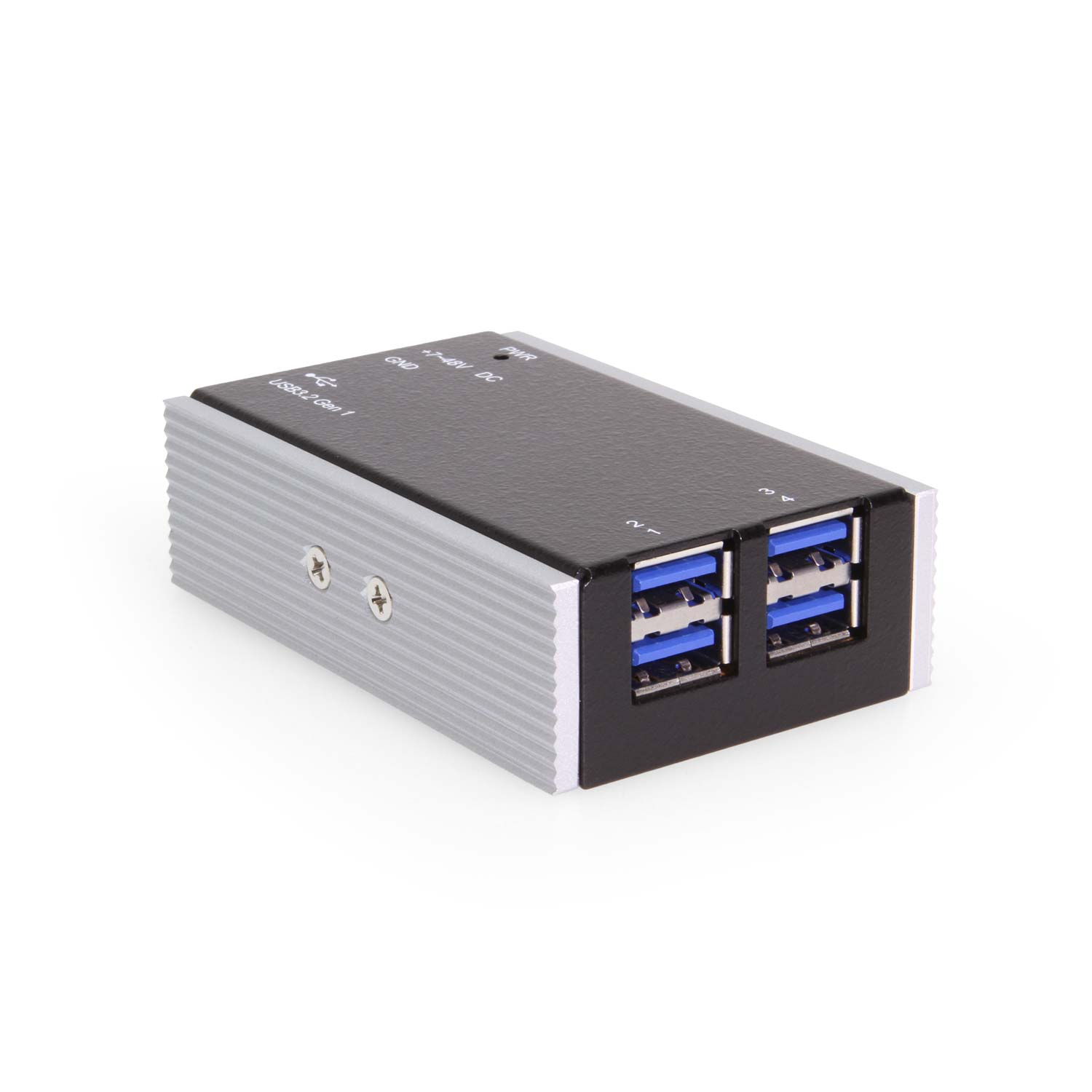
Downstream connections: 4 × USB Type-A downstream ports for peripherals and devices.
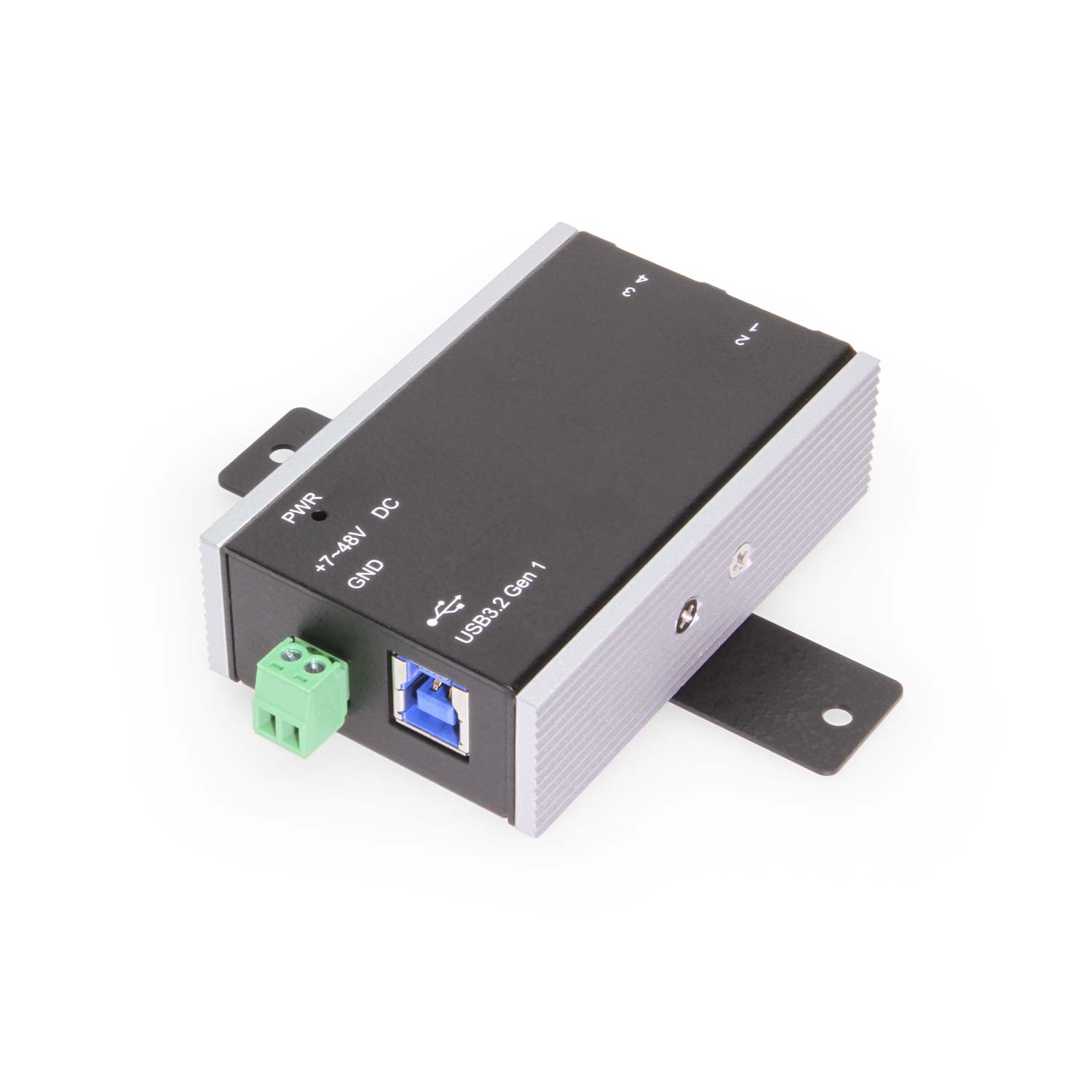
Power input: 2-pin terminal block for secure external power connection.
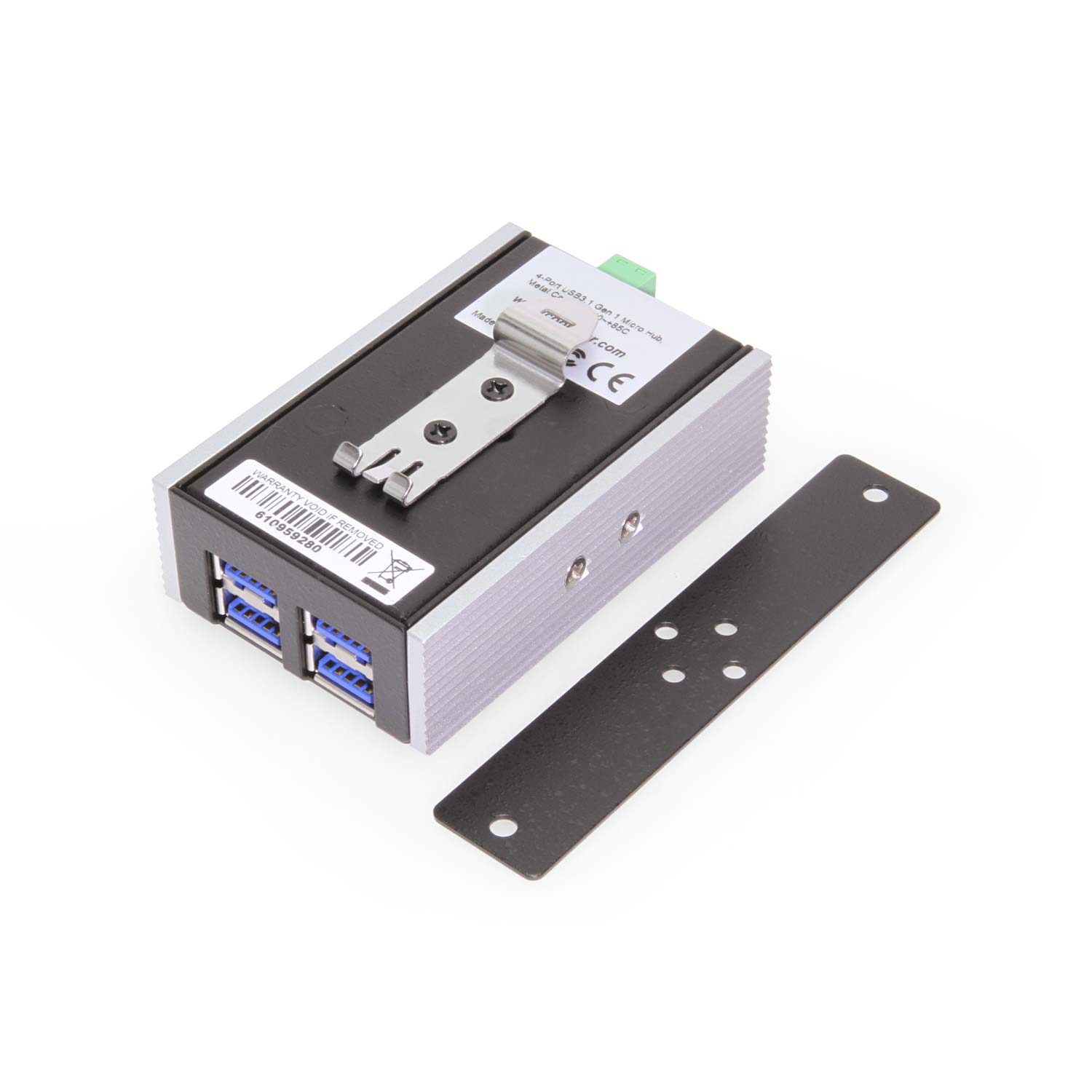
Mounting options: Supports wall, surface, and DIN rail mounting for flexible installation.
This 4-port industrial USB hub is designed for systems that require reliable USB expansion in extreme temperature environments. Supporting an operating range of –40°C to 85°C, it delivers stable USB 3.2 Gen 1 performance where standard USB hubs cannot operate.
4-port industrial USB 3.2 Gen 1 hub
Operating temperature range: –40°C to 85°C
Compact, space-saving mini form factor
Designed for continuous 24/7 operation
Suitable for embedded and industrial systems
Reliable USB expansion in harsh environments
Wide temperature range operation: Supports continuous operation from –40°C to +85°C, making this industrial USB hub suitable for extreme temperature environments.
Industrial-grade construction: Rugged steel enclosure designed for durability and long-term reliability in harsh industrial deployments.
4-port USB 3.2 Gen 1 connectivity: Provides four high-speed USB ports for connecting multiple devices, instruments, or peripherals simultaneously.
Plug-and-play installation: No drivers required for basic operation, enabling fast deployment and integration into existing systems.
ESD surge protection: 15kV ESD protection on each downstream port helps safeguard connected USB devices from electrical surges.
Reliable data performance: Maintains stable USB data transfer across wide temperature fluctuations and continuous operation.
Designed for demanding applications: Suitable for industrial automation, oil & gas, transportation, mining, aerospace, and other extreme-environment installations.
Compact industrial form factor: Space-efficient design ideal for embedded systems and space-constrained industrial enclosures.
LED power status indicator: Integrated LED provides clear visual confirmation of hub power status for easy monitoring and troubleshooting.
Industrial automation and control systems
Embedded computing platforms
Outdoor kiosks and digital signage
Transportation and mobile equipment
Manufacturing environments with elevated temperatures
Cold storage and sub-zero installations
Ideal for space-constrained industrial systems
Wide temperature support for extreme deployments
Reliable USB 3.2 Gen 1 performance in harsh conditions
Designed for long-term, unattended operation
*Surface Mounting screws not included.
| Power |
| ||||||||||||||
|---|---|---|---|---|---|---|---|---|---|---|---|---|---|---|---|
| Compliance |
| ||||||||||||||
| Physical Characteristics |
| ||||||||||||||
| What's in the Box |
| ||||||||||||||
| Environmental |
| ||||||||||||||
| Product Information |
| ||||||||||||||
| Hardware |
| ||||||||||||||
| Performance & Safety |
| ||||||||||||||
| Other Data |
|
View frequently asked product questions below. Still need help? Reach out!
In some cases, yes. USB peripherals that only require low power (i.e. keyboards & mice) can be used without a power adapter. Power in this case is drawn from the host’s USB port.
When high-power USB peripherals are used, a power supply for the USB hub may be required. In other cases, the USB peripheral may require their own power adapters, in this case, a power supply for the hub may not be required. Without ample power though, the USB hub or connected peripherals may not operate correctly. It is recommended to use an included power supply when possible.
To prevent this, follow the steps below (depending on your operating system).
Windows 10 / 8
Note: You may need to disconnect and re-connect your USB device after applying these settings.
Windows 7 / Vista
Note: You may need to disconnect and re-connect your USB device after applying these settings.
Windows XP
Note: You may need to disconnect and re-connect your USB device after applying these settings.
Moving on to troubleshooting the hub itself. Attach a USB peripheral. The USB hub itself will not appear in hardware listings on your host’s system. USB devices connected however, will appear when connected. If the connected device is still not being found, try:
USB hubs do not require drivers or software.
Troubleshooting the desired USB peripheral may be in order. If the peripheral is still not being recognized, attempt:
External power is supplied by connecting to the terminal block located on the hub. For when an external power adapter is required check out the Accessories & Replacement Parts section on this product page. To view all of our hub accessories and power supplies, visit the category here.
To determine the power requirements, the equation to use is P = 5 * I * N, where:
P is the power wattage.
5 is the USB port voltage.
I is the current of the USB port in Amps (USB 2.0 is 0.5A, USB 3.0 is 0.9A.
N is the number of USB ports.
As an example using the equation, a 4 port hub would reflect a minimum wattage of 18 watts.
Knowing the minimum requirement, a proper power adapter can be chosen. In this case the voltage of a power supply should be within 7 to 24 or 7 to 40 Volts DC, depending on the specifications of the USB hub. Also, the power supply must convert AC to DC (no AC output).
Power supplies often come with a voltage (V) rating and an amperage (A) rating. To determine the current in amps, use I = P / V, where the following is true:
I is the current of the power supply.
P is the calculated power of the hub.
V is the chosen voltage of the power supply
Continuing the example, the 4 port hub requires 18 W and the power supply you choose is 12V, the current of the power supply would be I = 18/12, I = 1.5A.
Our full collection of power adapters can be found here.
Extreme heat can cause thermal throttling in consumer electronics. Our hubs are engineered with high-tolerance chipsets to maintain consistent 5Gbps or 10Gbps throughput even at the top of the temperature range.
Yes. All components are rated for immediate power-up at the lowest rated temperature without needing a pre-warming period.
No. Coolgear Wide Temp hubs use rugged metal chassis and an additional aluminum heat sink is mounted to the side of the hub, allowing for fan-less operation which increases reliability in dusty or vibrating industrial settings.
Wide temperature USB hubs are built using automotive- and industrial-grade components rated for extreme operating environments. These parts are more costly to source and require additional design validation and testing to ensure long-term reliability.
Commercial hubs usually operate between 0°C to 40°C. Industrial hubs often go to 55°C. Our Wide Temperature hubs are rated for -40°C to 85°C, using specialized components that won’t crack in extreme cold or leak in extreme heat.

Model# CG-4P31CHUB
$141.29In stock

Model# CG-7PU313C
$150.99In stock

Model# CG-4P31CHUB-M
$141.99In stock

Model# CG-6PU3DH-A
$86.29In stock

Model# CG-10U3AML
$169.49In stock

Model# CG-7PU31HB
$139.99In stock

Model# CG-6PU3DH-C
$78.99In stock

Model# CG-10PU3MGD
$202.99In stock
Need help with a Coolgear product you’ve purchased? Get product support from our on-site engineers.
Contact our sales team for assistance before you buy a Coolgear product.






























Reviews
There are no reviews yet.