


Features:
USB Type-C PD Chargers
USB Type-A Chargers
Multi-Port USB Chargers
Integration-Ready Charging PCBAs

$70.49
Expected Availability Date: October 20, 2026
Not in stock - Backorder allowed

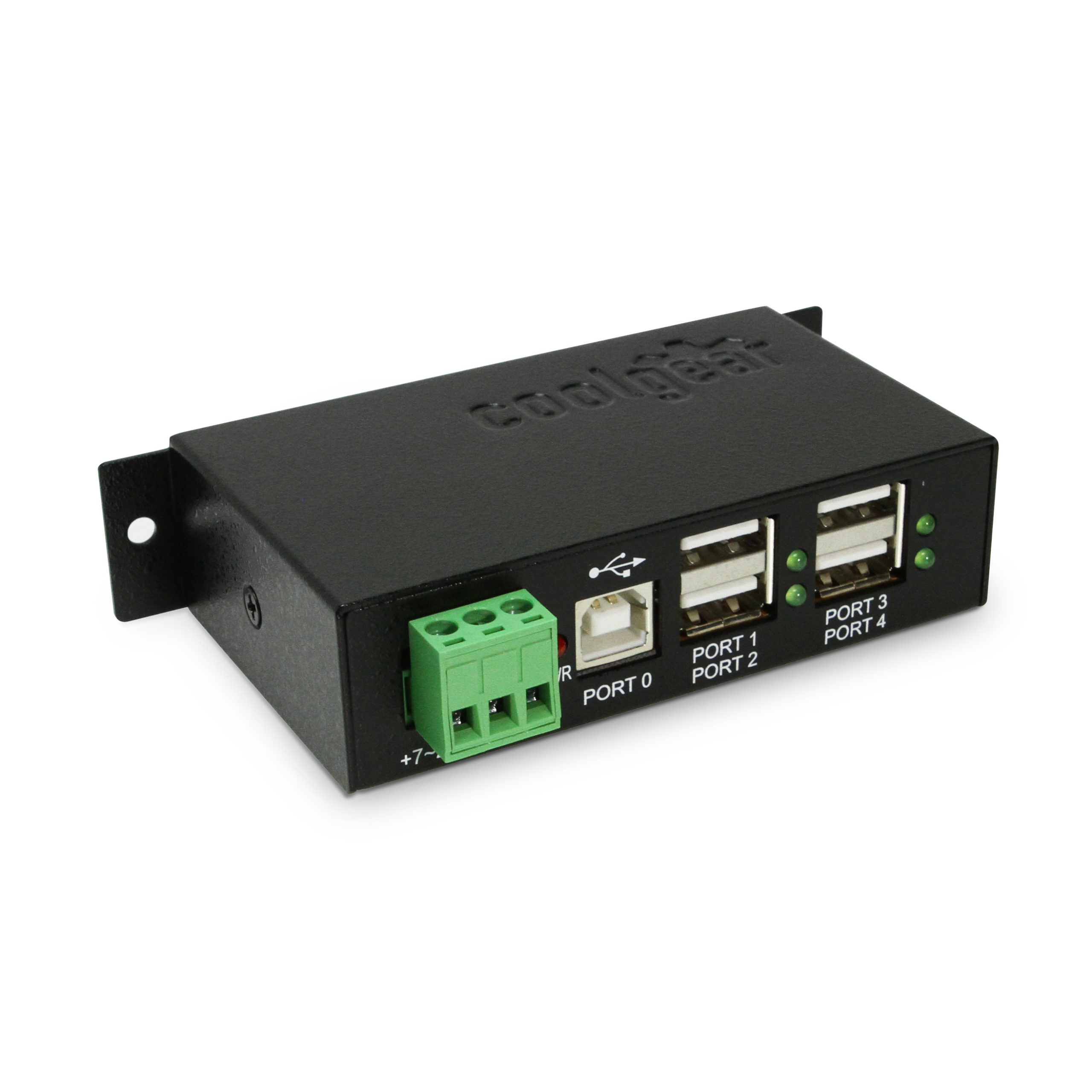
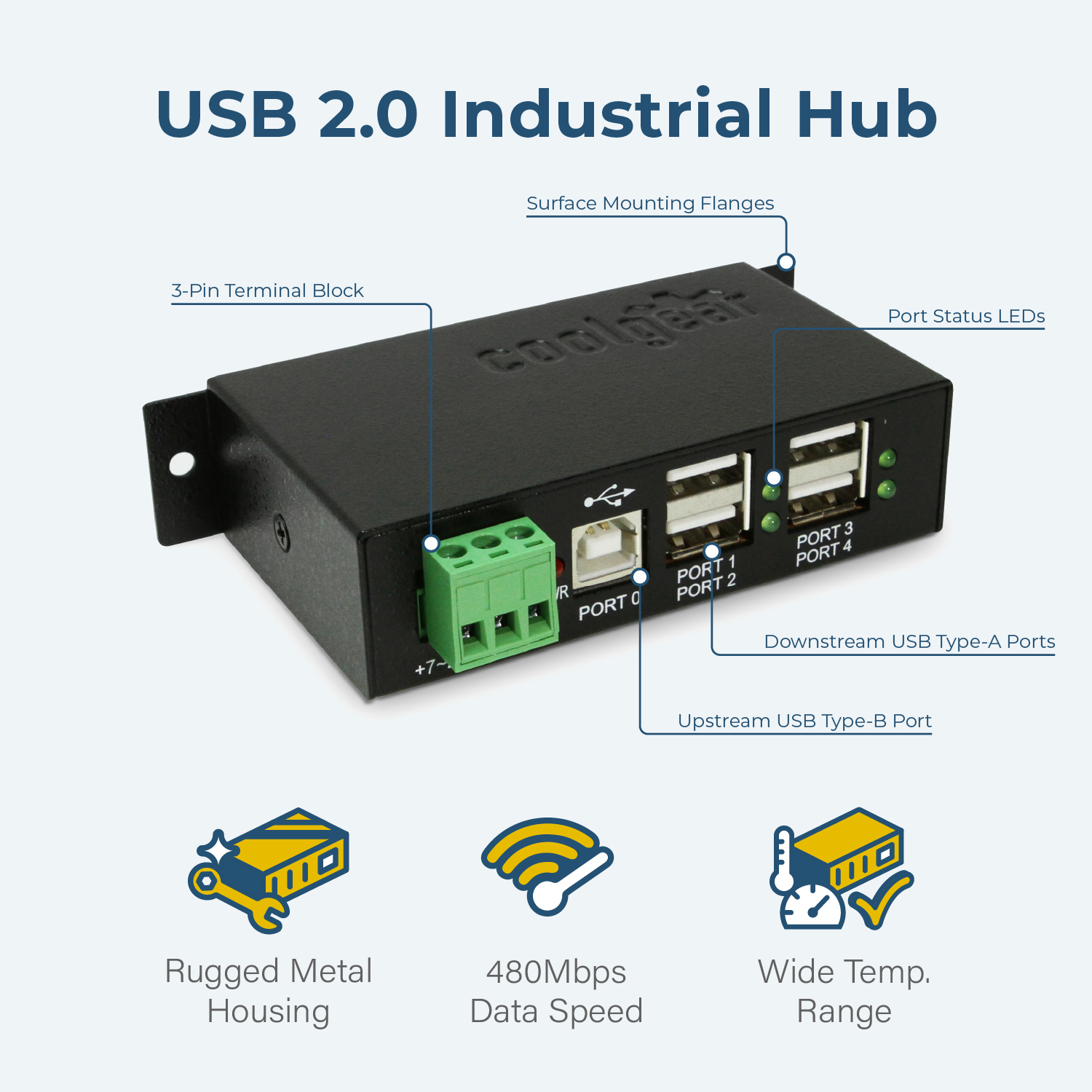
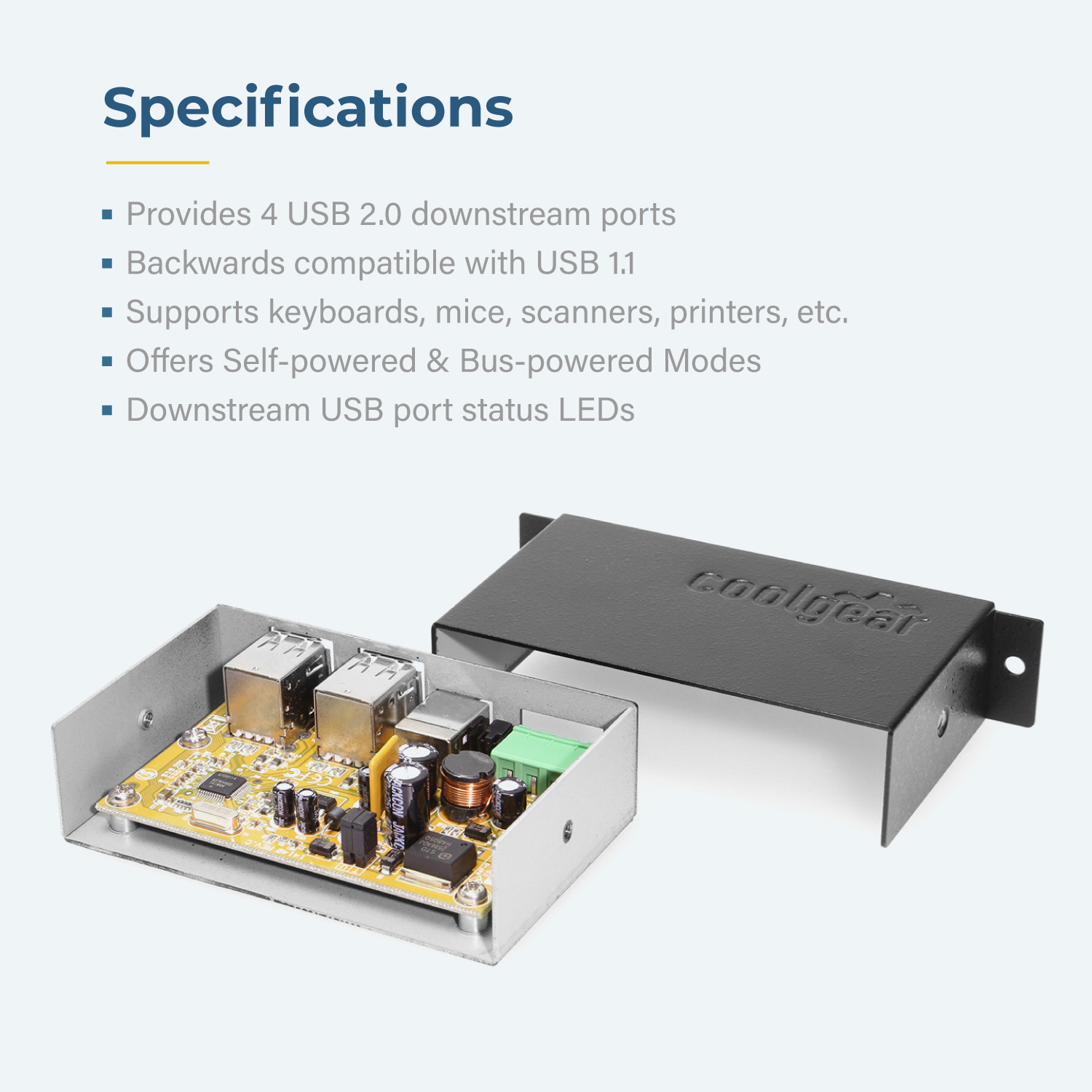
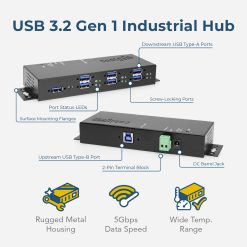
The USBG-4U2ML Industrial 4-Port USB 2.0 Powered Hub is a High-Speed USB 2.0 hub, backward compatible with USB 1.0 / 1.1. It provides an out of the box industry standard that allows connection of up to four USB peripherals. The USBG-4U2ML Hub incorporates Diagnostic LED’s providing port status for each port and power status.
The design is compact and provides quick and easy access to connections. The Industrial 4-Port USB 2.0 hub provides four type “A” downstream ports for connection to additional USB devices, or USB hubs. A single type “B” upstream port connects the USBG-4U2ML to the host computer or another USB hub. This USB 2.0 Hub enables up to 127 devices for connection by cascading multiple hubs. Configuration of the hub is managed by the operating system once connected. The USBG-4U2ML hub operates seamlessly with both Microsoft Windows and Apple Macintosh Operating Systems.
As a standard USB hub, the USBG-4U2ML buffers USB data from any attached peripheral in compliance with USB specifications. This provides an invisible extension of the USB bus. Supporting both low speed (1.5Mbps and 12Mbps) and Hi Speed (480Mbps) devices, each port creates a bridge between the peripheral and host computer.
*Power Supply not included; available as an optional accessory: Model# 12V7A3P-A
*Surface Mounting screws not included
| Power | Input Voltage Range: 7 ~ 24V DC Power Source: 3-Pin Terminal Block Idle Consumption: 14mA @ 12V Terminal Power, 18mA Bus Powered Bus Power Support: No Maximum Power(W): 10W Charging Protocols: BC 1.2 Per USB Port Current: 500mA (2.5W) Charging Downstream Port (CDP): No Dedicated Charging Port (DCP): No |
|---|---|
| Compliance | Country of Origin: Taiwan Certifications: TAA, CE, FCC, REACH, RoHS |
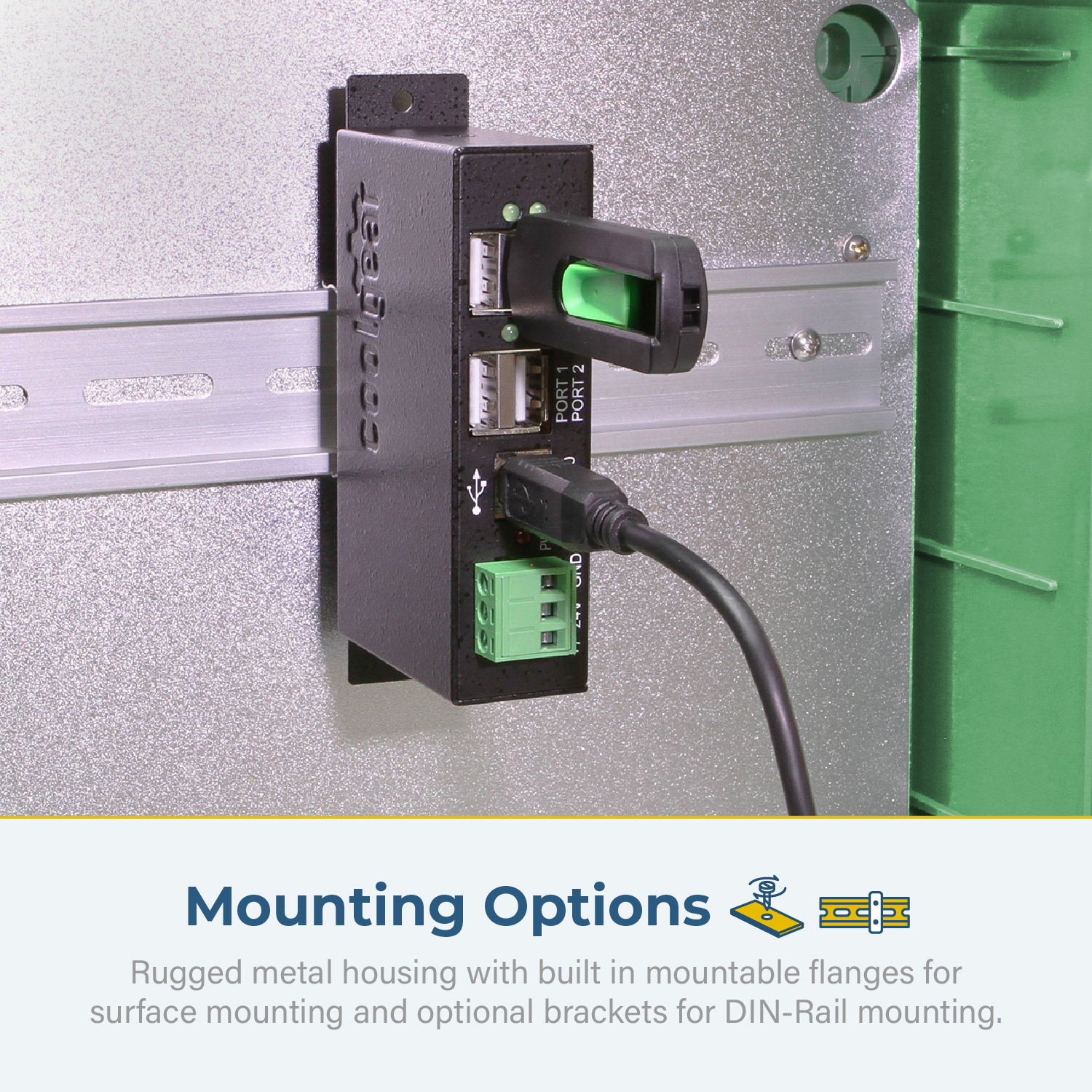
| Physical Characteristics | Color: Black Item Dimensions (L × W × H): 4.5 × 2.26 × 1.03 in. Item Weight (Oz.): 7.2 Mounting Style: Surface / Wall Mount, Din-Rail Mount, Surface Mount, Wall Mount Ports: 4 USB Ports Material of Construction: Steel Screw Lock Compatible: No |
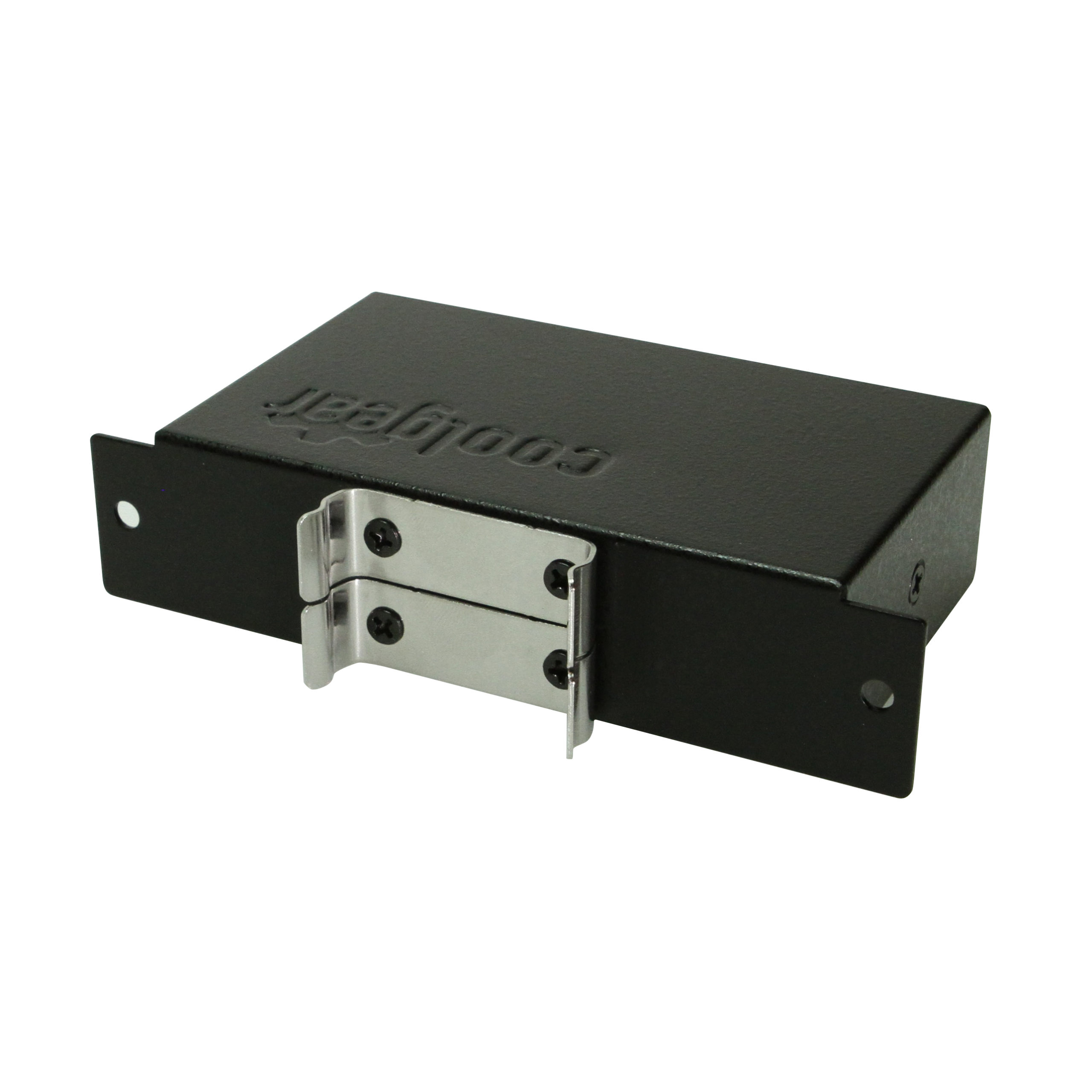
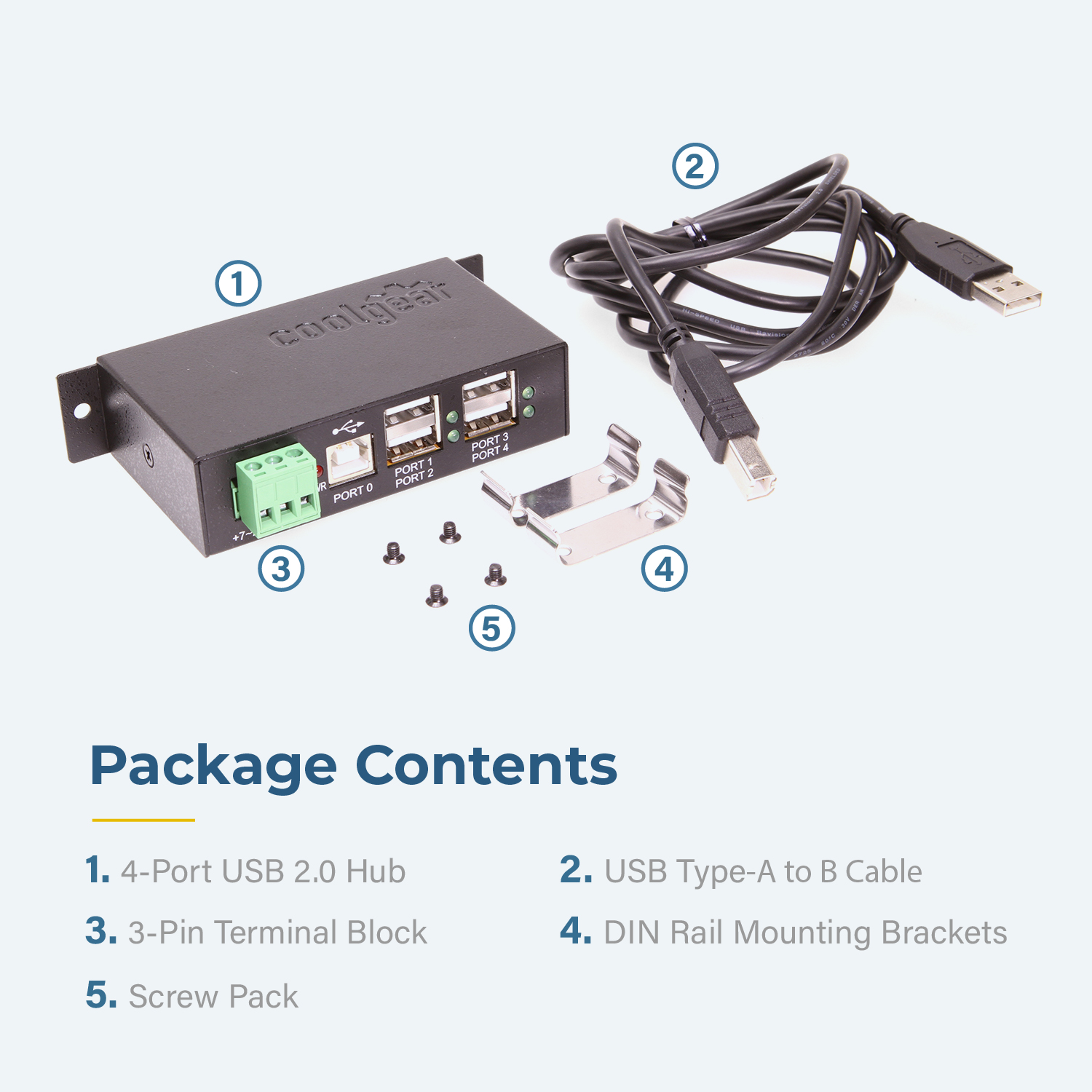
| What's in the Box | Package Contents: DIN Rail Bracket, Hub, Screw Pack, USB Cable |
| Software | OS Support / Compatibility: Windows 11, Windows 10, Windows 8, Windows 7, Windows Vista, Windows XP, Mac OS, Linux Managing Software Utilities?: N/A |
| Environmental | Operating Temperature Range: 0C ~ 55C Storage Temperature: -20C ~ 75C Humidity: 5% to 95% RH |
| Product Information | Warranty: One Year |
| Hardware | Chipset: FE2.1 LED Indicators: Port Status, Power Downstream USB Ports: 4x Type A USB 2.0 (480Mbps) Upstream Port Types: 1x Type B USB 2.0 (480Mbps) |
| Performance & Safety | Max Data Transfer Rate: 480Mbps Over Current Protection: No Over Voltage Protection: No |
| Additional Details | UPC: 729440625122 USB Specification: USB 2.0 (480Mbps) Series: DRS-UH (DIN-Rail Series Hubs) Weight: 0.8500 lbs Dimensions: 8.88 × 6.25 × 1.5 in |
View frequently asked product questions below. Still need help? Reach out!
In some cases, yes. USB peripherals that only require low power (i.e. keyboards & mice) can be used without a power adapter. Power in this case is drawn from the host’s USB port.
When high-power USB peripherals are used, a power supply for the USB hub may be required. In other cases, the USB peripheral may require their own power adapters, in this case, a power supply for the hub may not be required. Without ample power though, the USB hub or connected peripherals may not operate correctly. It is recommended to use an included power supply when possible.
To prevent this, follow the steps below (depending on your operating system).
Windows 10 / 8
Note: You may need to disconnect and re-connect your USB device after applying these settings.
Windows 7 / Vista
Note: You may need to disconnect and re-connect your USB device after applying these settings.
Windows XP
Note: You may need to disconnect and re-connect your USB device after applying these settings.
Moving on to troubleshooting the hub itself. Attach a USB peripheral. The USB hub itself will not appear in hardware listings on your host’s system. USB devices connected however, will appear when connected. If the connected device is still not being found, try:
USB hubs do not require drivers or software.
Troubleshooting the desired USB peripheral may be in order. If the peripheral is still not being recognized, attempt:
External power is supplied by connecting to the terminal block located on the hub. For when an external power adapter is required check out the Accessories & Replacement Parts section on this product page. To view all of our hub accessories and power supplies, visit the category here.
To determine the power requirements, the equation to use is P = 5 * I * N, where:
P is the power wattage.
5 is the USB port voltage.
I is the current of the USB port in Amps (USB 2.0 is 0.5A, USB 3.0 is 0.9A.
N is the number of USB ports.
As an example using the equation, a 4 port hub would reflect a minimum wattage of 18 watts.
Knowing the minimum requirement, a proper power adapter can be chosen. In this case the voltage of a power supply should be within 7 to 24 or 7 to 40 Volts DC, depending on the specifications of the USB hub. Also, the power supply must convert AC to DC (no AC output).
Power supplies often come with a voltage (V) rating and an amperage (A) rating. To determine the current in amps, use I = P / V, where the following is true:
I is the current of the power supply.
P is the calculated power of the hub.
V is the chosen voltage of the power supply
Continuing the example, the 4 port hub requires 18 W and the power supply you choose is 12V, the current of the power supply would be I = 18/12, I = 1.5A.
Our full collection of power adapters can be found here.

Model# CG-3PPW
$2.99In stock

Model# DIN-RAIL-MCLIP
$3.99In stock

Model# 12V7A3P-A
$31.49In stock

Model# US-S4PLUS
$213.99Not in stock - Backorder allowed
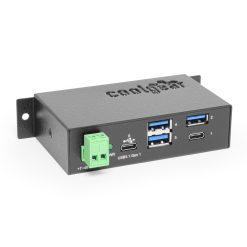
Model# CG-4PU31C2P
$115.49In stock

Model# CG-7PU313C
$150.99Not in stock - Backorder allowed

Model# CG-MIC4P31HVV
$93.99Not in stock - Backorder allowed

Model# USBG-4PminiH
$40.99In stock

Model# CG-7PU31HB
$139.99In stock

Model# CG-U31iS4PH
$290.29In stock
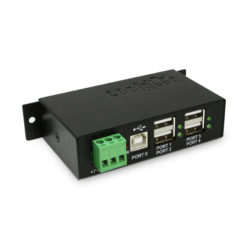
Model# USBG-4U2ML-PS
$81.99Not in stock - Backorder allowed
Need help with a Coolgear product you’ve purchased? Get product support from our on-site engineers.
Contact our sales team for assistance before you buy a Coolgear product.



































XieWei –
Very good