Features:
USB Type-C PD Chargers
USB Type-A Chargers
Multi-Port USB Chargers
Integration-Ready Charging PCBAs



Intuitive software for port management, hub reboots, and password protection to conserve power and monitor device status.

Recover frozen USB devices without rebooting the host to reduce downtime. Onboard flash saves port status over reboots.

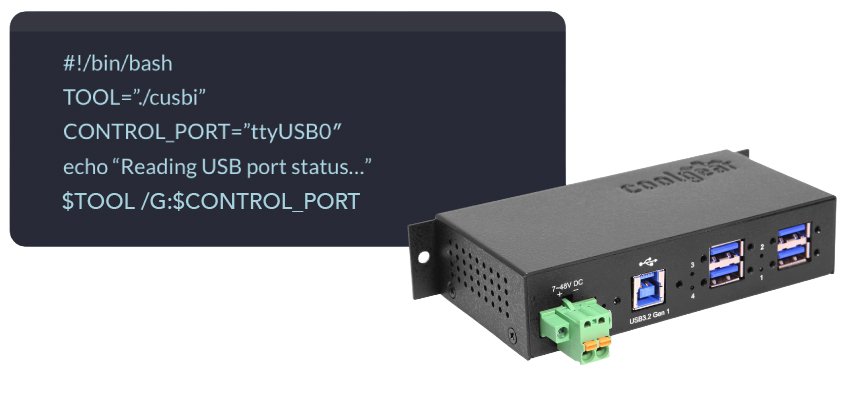
Command-line utilities for advanced automation of port power, data, or event-driven responses with bash scripts.
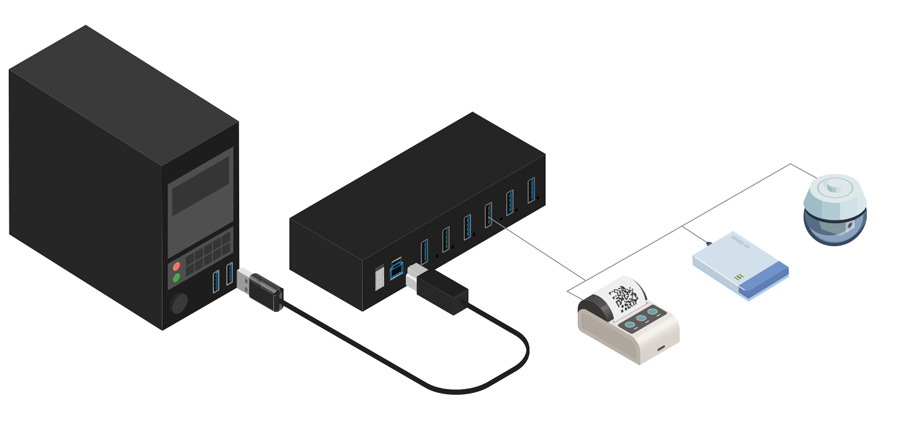
Gain centralized control over multiple peripherals by adding our multi-port industrial USB management hubs to your system. Designed for 24/7 reliability, these hubs enable individual per-port management (GUI and CLI) across Windows, Mac, and Linux.

Model# CG-4MGDU3MLR2
$137.99In stock

Model# CG-4PU3MGD
$135.99In stock

Model# CG-6PU2MGD
$136.99In stock

Model# CG-7MGDU31HB
$199.99In stock

Model# CG-16PU3MGD
$449.99Not in stock - Backorder allowed

Model# CG-4PU3MGDV2
$149.99Out of Stock

Model# CG-7PU3MGD
$209.99In stock

Model# CG-7MGDU3CML
$299.99Out of Stock

Model# CG-10PU3MGD
$224.99Not in stock - Backorder allowed
Model# CG-10PU3MGD-NT
$297.49Out of Stock
Instantly add enterprise-grade port management to any standard USB connectionto your existing setup . These compact, inline adapters integrate seamlessly with your existing setup, allowing you to remotely power-cycle, secure, and monitor a single USB device.

Model# CG-1MGDU3A
$89.99In stock

Model# CG-1MGDU3C
$89.99Not in stock - Backorder allowed

Model# CG-1MGDUC3C
$89.99Not in stock - Backorder allowed
Manage or automate individual USB ports or an entire hub without physical access to the system.
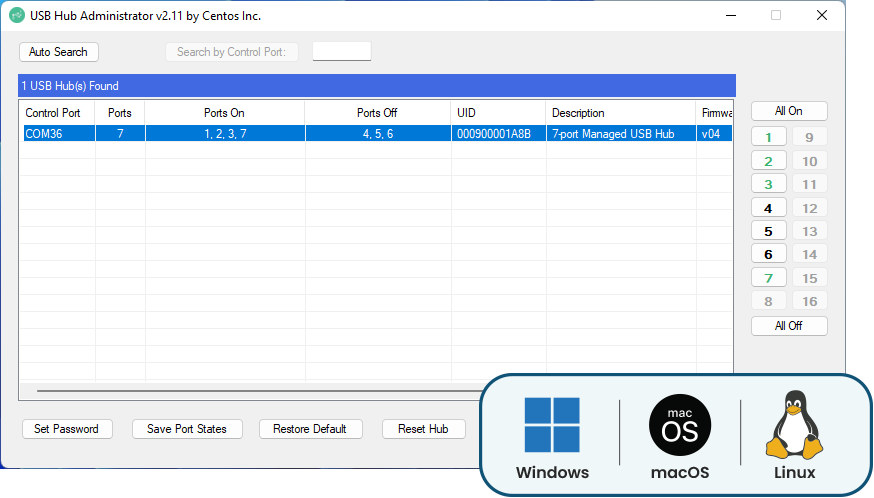
Intuitive user interface for port control, hub resetting, password protection, and port state management.
✓ Local or remote administration
✓ Individual port on/off control
✓ Real-time device status
Automate port power, data, or event-driven responses with bash scripts, and use powerful script hooks.
✓ Automate port recovery with scripts
✓ Multi-port and entire hub commands
✓ Ideal for industrial automation
Discover possibilities in streamlining any workflow with these managed USB hub use cases.
Ports return to the right state after an outage with nobody required on site.
Cut power to chargers, displays, and any other peripherals not required after hours.
Tablet carts and lockers can be set to charge connected devices only during set hours.
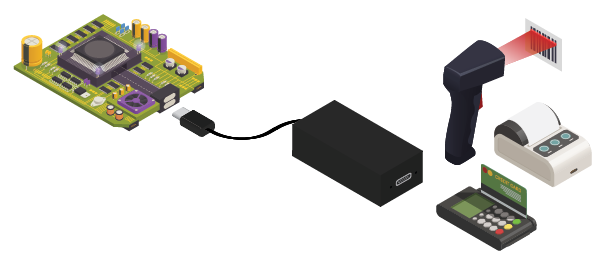
Barcode scanners, credit card terminals, and PoS peripherals for opening hours only.
Keep USB ports dead when no one is supposed to be using them.
Shared equipment that powers up for the school or work day.
Timed power windows for burn-in and soak testing.
The software supports Microsoft Windows (32-bit and 64-bit) via the USBCTL GUI and CUSBC.exe utilities, Linux (Intel/AMD and ARM architectures) via cusbi and cusba scripts, and Mac OS via the CUSBM package
The command-line utilities are designed for easy integration with applications written in most languages, including C++, C#, VB, PHP, and Swift
Yes. You can control all ports simultaneously using the ALL argument or specify a list of ports separated by commas (e.g., 1,2,5).
Yes. The /R command performs a hardware reset of the entire hub, which will automatically disconnect and reconnect all downstream devices.